Learners LVC Experience
User has the most important information prioritized for him/her upfront on the screen.
Learner experience on the platform before LVC
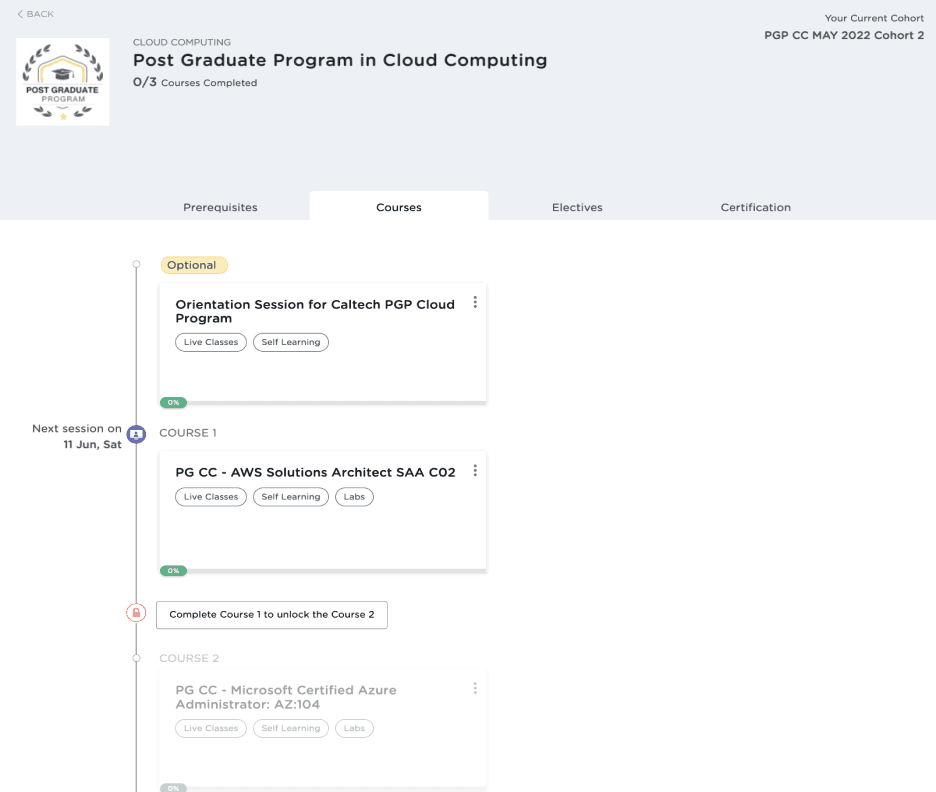
Made aware of when the Live class is and then he/she can read pre class notes
Class about to start in a certain time
Learner experience just when LVC is about to start
Learner can join the class in one click
Learner experience post LVC
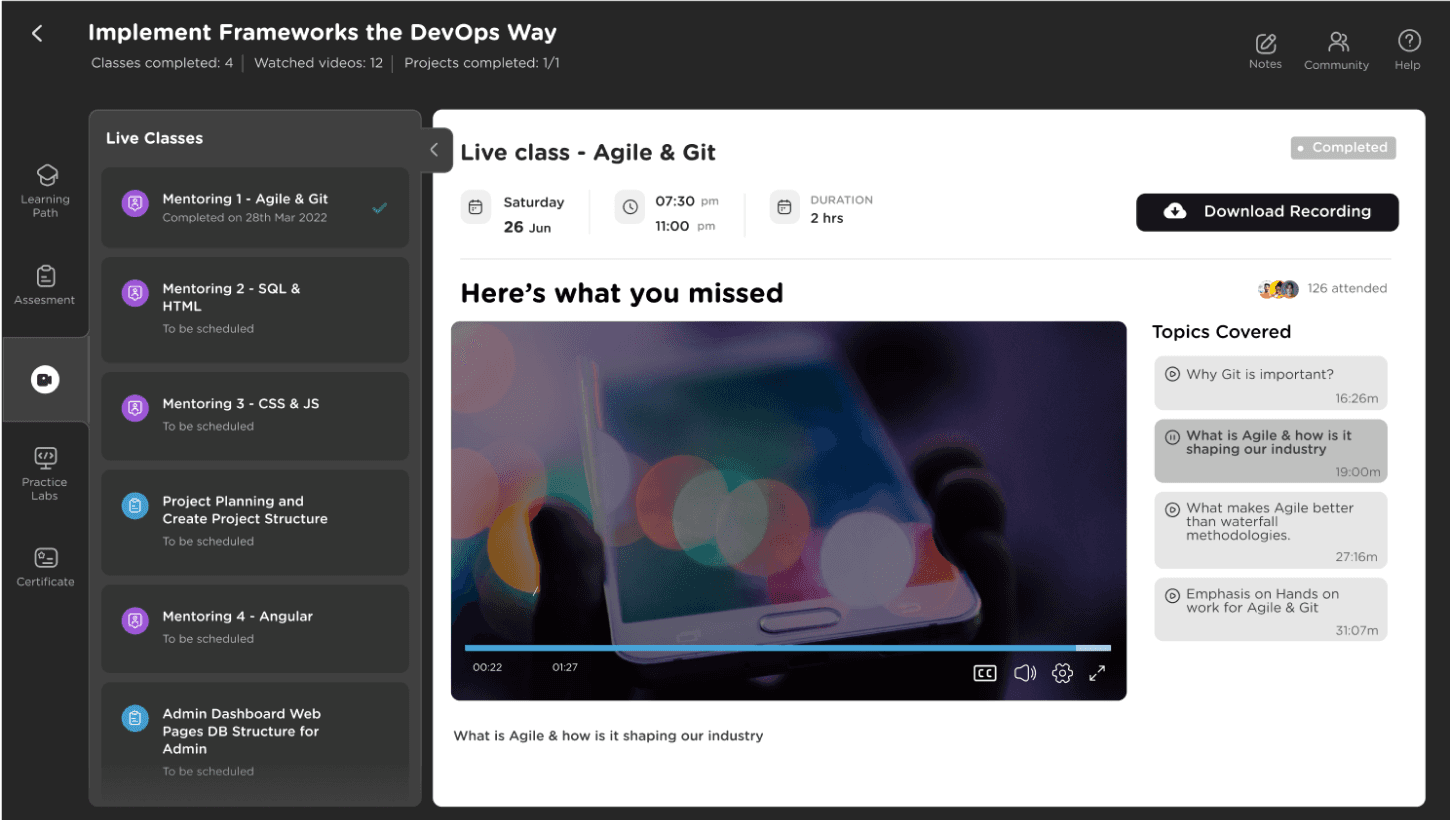
After the class, Learners can download & view the class recording
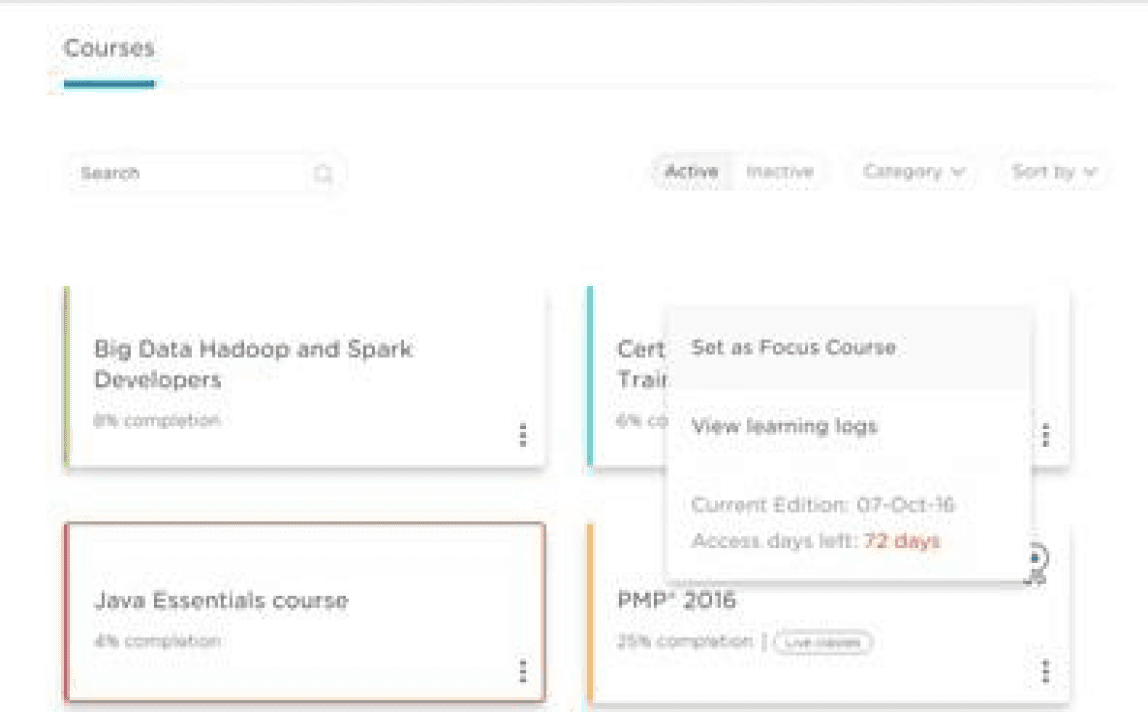
Active course card showing the next upcoming live class
5 Clicks to 1 Click
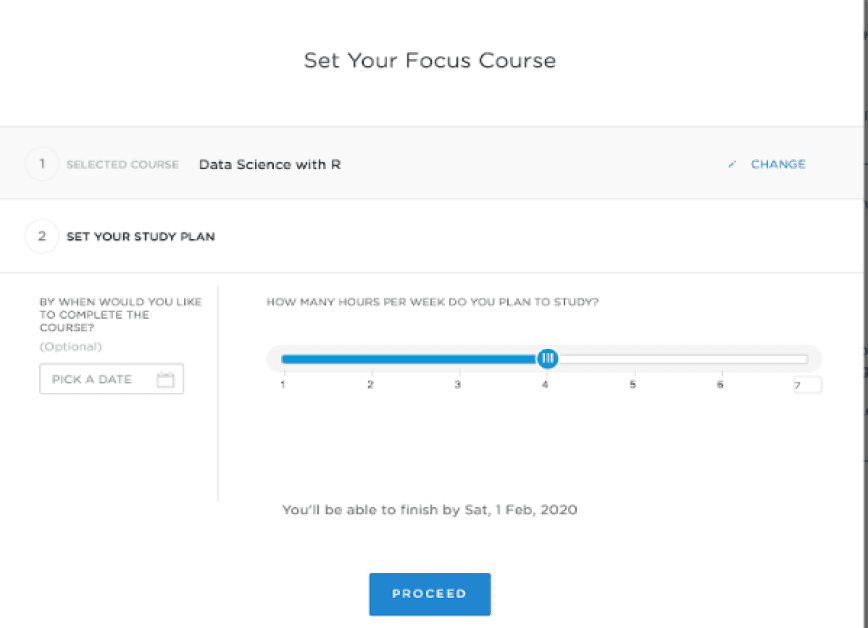
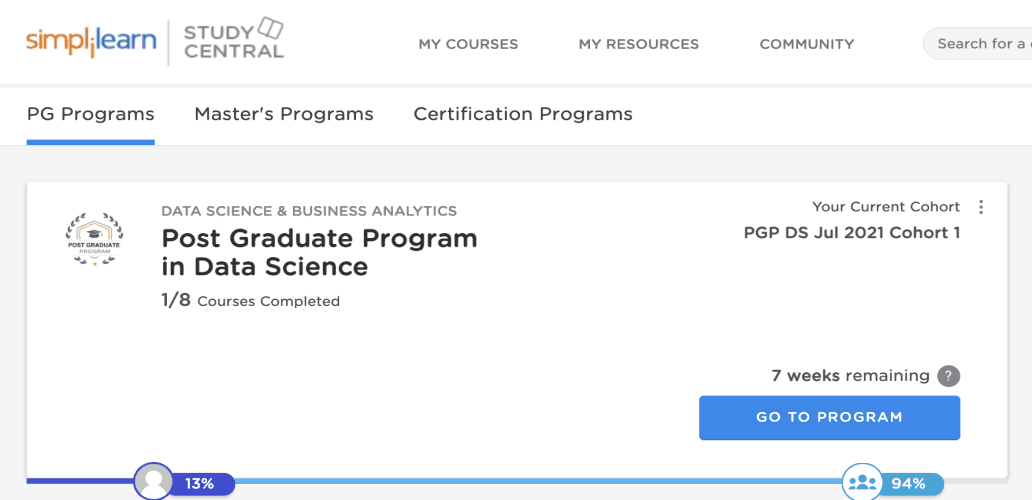
Certification
Courses
Masters
University Programs
Bootcamps/JG
2015 - 2018
2017 - 2022
2019 - 2022
2023
Business has evolved over time,
so has customer segment and expectations
Our Current LMS does not meet the evolving needs of our learners and educators. This results in reduced learner engagement, limited collaboration, and suboptimal learning outcomes.
Therefore, there is a need to revamp our LMS to provide a modern, user-friendly, and flexible platform that meets the diverse needs of our learners and supports effective teaching and learning.
Redesign of
Learning Platform
Team Size: 3, 2 UX Designers, 1 Lead


5 Clicks 2 Scrolls to 1 Click

Learner Program Induction
To create a sense of peer to peer collaboration, we give the Learners chance to interact with the peers at various touch points across their Learning Journey.
Learner Experience before Program Induction
Learner is made aware of the Date, Time and Benefits of the Program Induction
Learner is prompted for “Introduce Yourself”, this is an opportunity for the learner to collaborate with the Peers in Cohort
Learner has an option to “Add to Calendar” so that he/she does not miss the Induction
Learner Experience After Program Induction
Incase learner misses the Induction class learner has an option to join the other session
Learner Projects Submission Experience
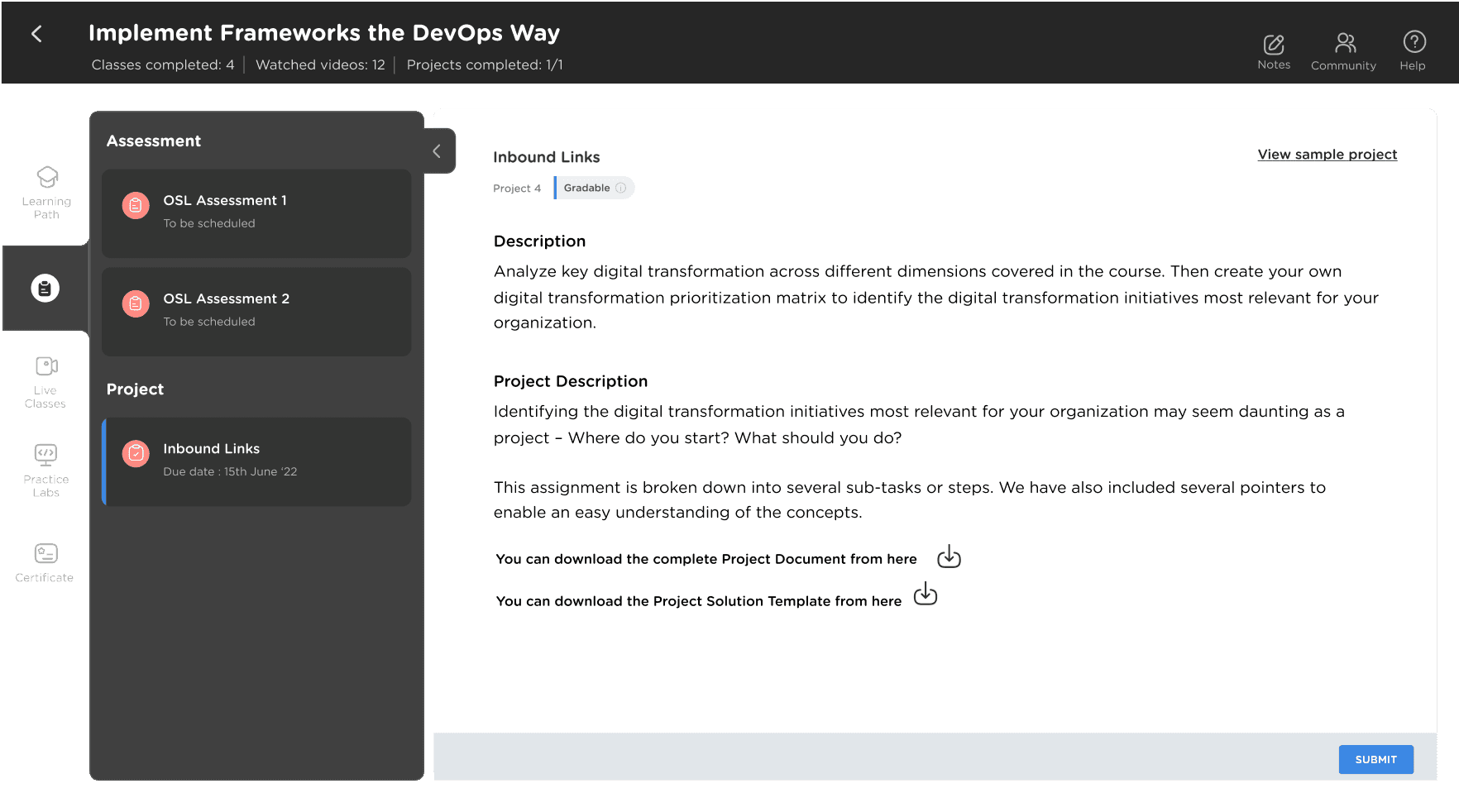
Driving Program completion by a guided Project Submission flow
The new experience stiches the whole project submission process as that is one of the critical choke point in the completion.
We have not only reduced the sequential number of steps for Project submission, but we have also brought the details of Project submission deadlines on our Course Card, which will always remind the Learners that there is a Project to Submit.
Learner Experience Before Project Submission
Learner is made aware of the Project Mentoring Session
Learner Experience Nearing Project Submission
Learner is made aware of the due date
Learner Experience Post Project Submission
Learner is made aware of the Evaluation ETA
Learner can download the certificate and share it in social media
Learner Experience Incase they missed the deadline
Learner can apply for the project extension in one click
Inputs from H&S
260/650 Tickets/month on Project Evaluation Child category tickets can be potetially reduced
109/273 Tickets/month on Sample Project tickets can be potetially reduced
500/800 Tickets/month on Project Extension Child Category request tickets can be potetially reduced
Proposed Design
Proposed Design
Proposed Flow
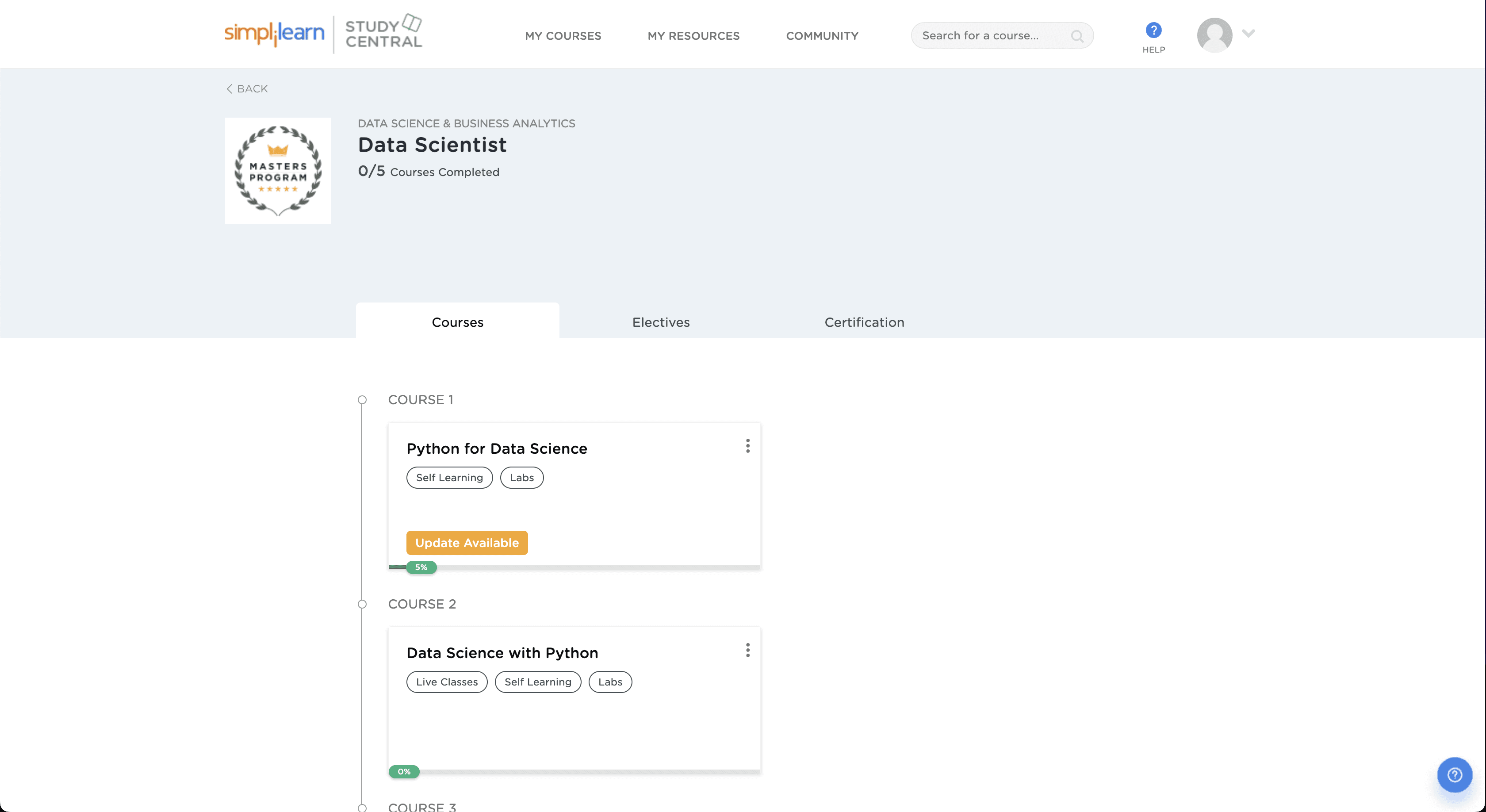


Existing Design






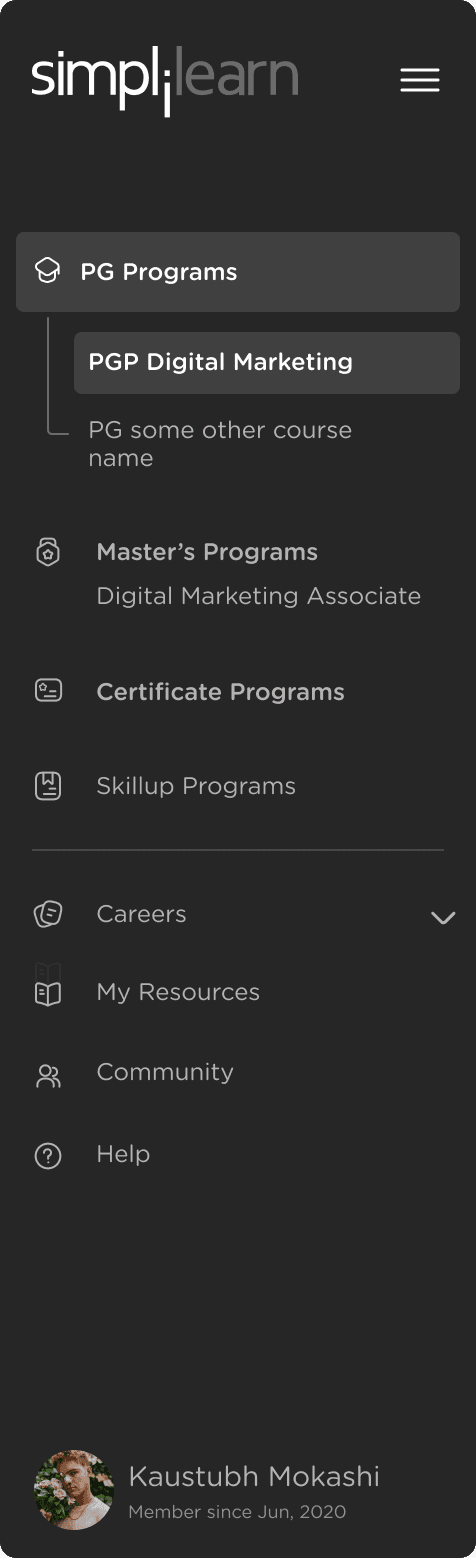
Left navigation
With the left navigation, we have put all the elements of our Dashboard & Global navigation together at one place.
An extensive research by Jennider Rose Kingburg tell us why th experience is the best overall UX for our platform.
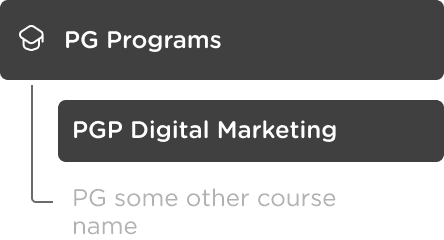
This is when the number of Programs in a category are small (ex. 2-3) Helps in easy navigation & Holds true to expensive programs (PG & MP)
In case there is only 1 Program in a certain category, we can directly show the Program Name
1
2
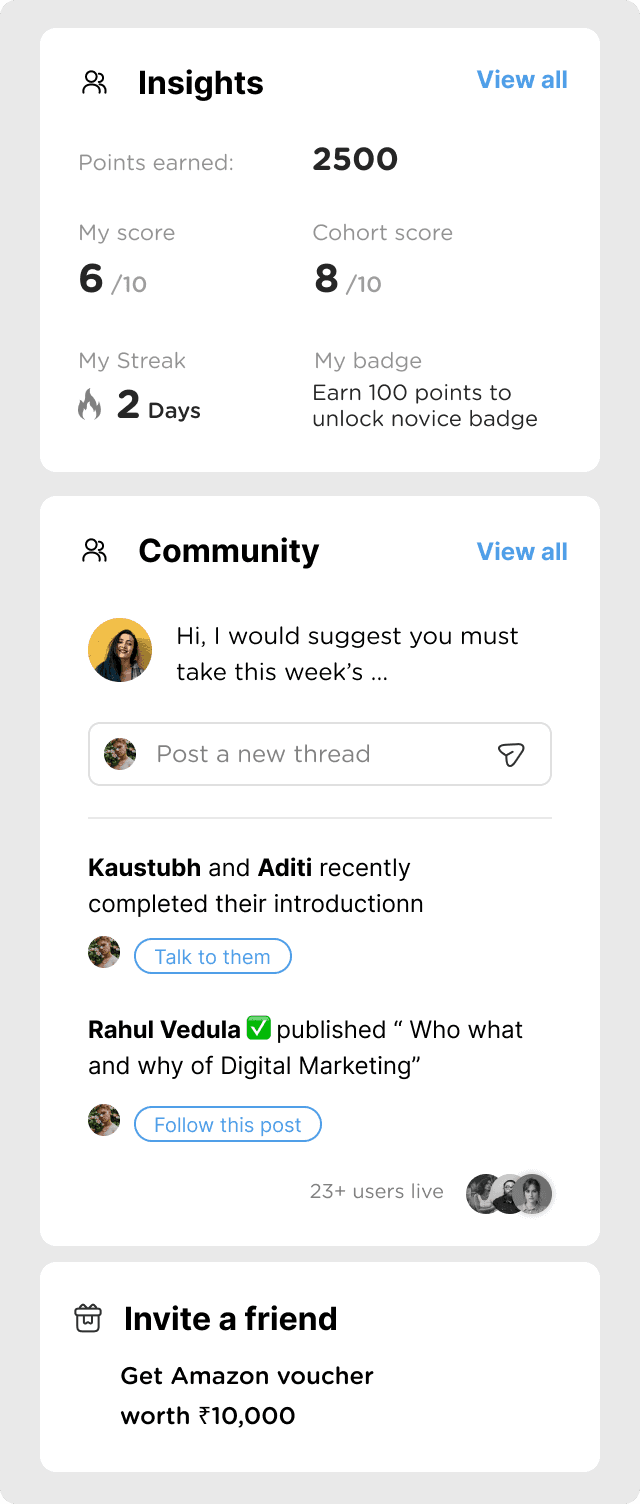
Right Panel
With the left navigation, we have put all the elements of our Dashboard & Global navigation together at one place.
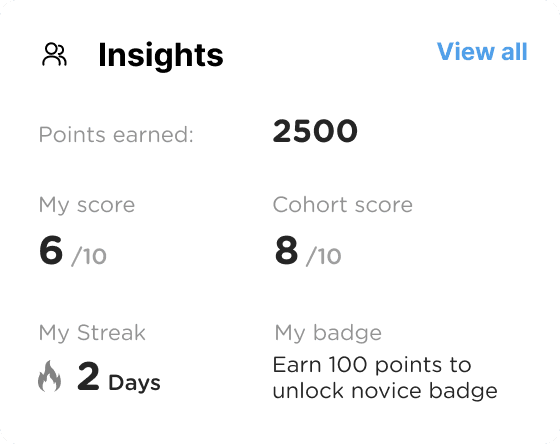
Top card shows Program Level insights. Things likes Learning Streak & Skill Badge can be a good motivating factor.
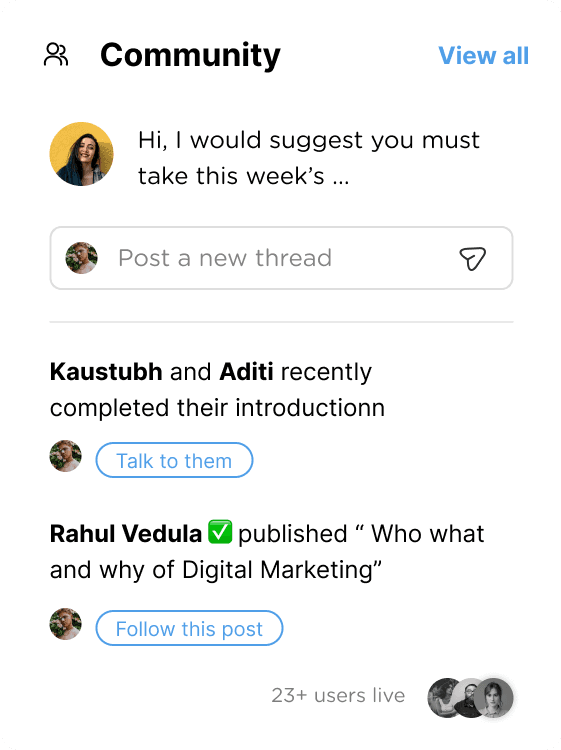
Middle card shows community interactions. Learners can directly respond on the ongoing threads and discussions on the community directly from the PDP. Learners will also be seeing posts / annoucements from simplilearn.
Showing active number of participants increases engagement.
1
2
3

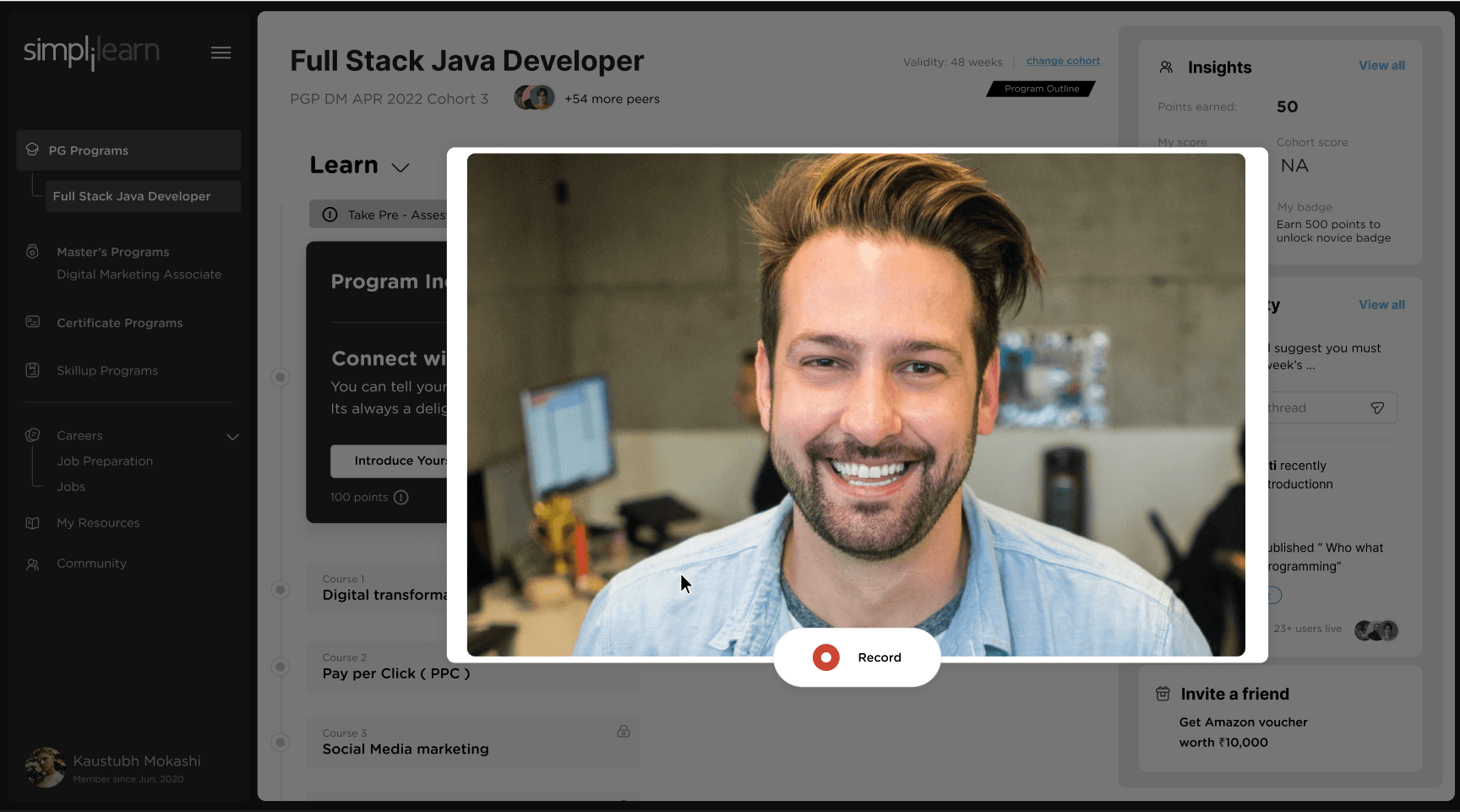
Learning section
Our learning section is esentially our Program Details Section.
Full Stack Java Developer
PGP DM APR 2022 Cohort 3
+54 more peers



See what Aditi & Rahul have to say !
Program Induction
Program Induction
Take Pre - Assessent test
On Track
83%
Course 1
Implement OOPS Using JAVA with Data structures and beyond
Easy
Continue Learning
Lesson 1.4 Marketing Technology
23 mins left
Read Pre Class Notes
5 min read
Live class - Agile & Git
Take Assessment before this class
@ 09:00pm to 11:00pm
Sat, 28th Apr
Unlock Resume Building on this Course, 3 peers already unlocked
John Doe and 12 others are learning now
Certificate Unlock Criteria
Course 1
Implement OOPS Using JAVA with
Data structures and beyond
Course 2
Become a back-end expert
Course 3
Implement Frameworks the
DevOps Way
Learning
This section will highlight the validity, Program Outline and Courses stack on the top part of the page
Highlighted the Program Name
The section to the current / active course will be scrolled onto by default.
Validity: 48 weeks
change cohort
Prerequisites
Courses
Program Outline
Full Stack Java Developer
PGP DM APR 2022 Cohort 3
+54 more peers
Program name on top,
with cohort name at the bottom.
+54 peers will promote a sense of togetherness and group learning
Learning
Prerequisites
Courses
Prerequisites and Courses have a toggle for them, which defines what the Learner will see in the “My Learning” path.
Electives has been deliberately put into Courses sequence.
Fourth notch that you see on the top right represents the Skills & Certificates that could be unlocked with the course completion
Course card has been made richer & created with a thought of Providing user with a summary of what he/she is going to see in LE
Other than Directional CTA’s which will take the user to a specific page/instance on the LE,
clicking on the Course card itself will take the learner to LE’s default state.
On Track
83%
Course 1
Implement OOPS Using JAVA with Data structures and beyond
Easy
Continue Learning
Lesson 1.4 Marketing Technology
23 mins left
Read Pre Class Notes
5 min read
Live Class 1 : Git & HTML
Take Assessment before this class
@ 09:00pm to 11:00pm
Sat, 28th Apr
Unlock Resume Building on this Course, 3 peers already unlocked
John Doe and 12 others are learning now
Certificate Unlock Criteria
Primary Action Card (Right)
Secondary Action card (Right)
FUTURE PROSPECTS
Post Live Class Experience
When a learner has completed the Live Class, along with the option to download recording, they will also have the option to play the recording in snippets, according to the topics marked. That improves their post class experience.
UI Design for PDP
Community Interaction on OSL
While the Learners are watching the OSL videos, they will also have the ability to connect with peers jut below that OSL. We can have the space for collaboration & discussions on every OSL. Which will be connected to the community.
Creating a peer to peer interactive platform for 60% of the users, who would like to interact & learn.
Program Outline
Program outline for Learners to see a list of all milestones & important dates in their Program.
Lorem ipsum dolor sit amet, consectetur adipiscing elit. Donec auctor purus eu cursus ornare. Morbi a eros sit amet urna sagittis condimentum eu non tellus pellentesque vel .
25 Jun
28 Jun
2 Jul
Course 2
Implement OOPS Using JAVA with Data structures and beyond
Milestone 1
Agile Scrum Foundation
Milestone 2
Core Java Training
You are here
Complete HTML and CSS Training Course
Full Stack Java Developer
Program Outline
Download PDF
Start Date : 11th May ‘22
End Date : 24th Nov ‘22
Show only milestones
Show tentative dates
Milestones
6 Courses | 48 Skills | 24 Weeks | 4 PreparationcServices &
1 JOB
Course 4
Implement Frameworks the DevOps Way
Spring 5.0 Core Training
Master Hibernate and JPA with Sprint Boot in 100 Steps
DevOps: CI/CD with Jenkins pipelines, Maven, and Gradle
Hands-on Continuous Integration and Automation with Jenkins
Milestone 4
Milestone 3
Learn RabbitMQ Asynchronous Messaging with Java and Spring
30 Aug
11 Jun
25 Jun
28 Jun
2 Jul
Course 3
Become a back-end expert
Java Certification Training Course
Build Real World Websites from Scratch
6 Aug
Course 1
Program Induction
Course 2
Implement OOPS Using JAVA with Data structures and beyond
Milestone 1
Agile Scrum Foundation
Milestone 2
Core Java Training
You are here
Complete HTML and CSS Training Course
“ Simplilearn should provide like help to time table thing, that you should complete the course within this time and then you should move to next target within that time
Shailesh (35 years)
Thank you
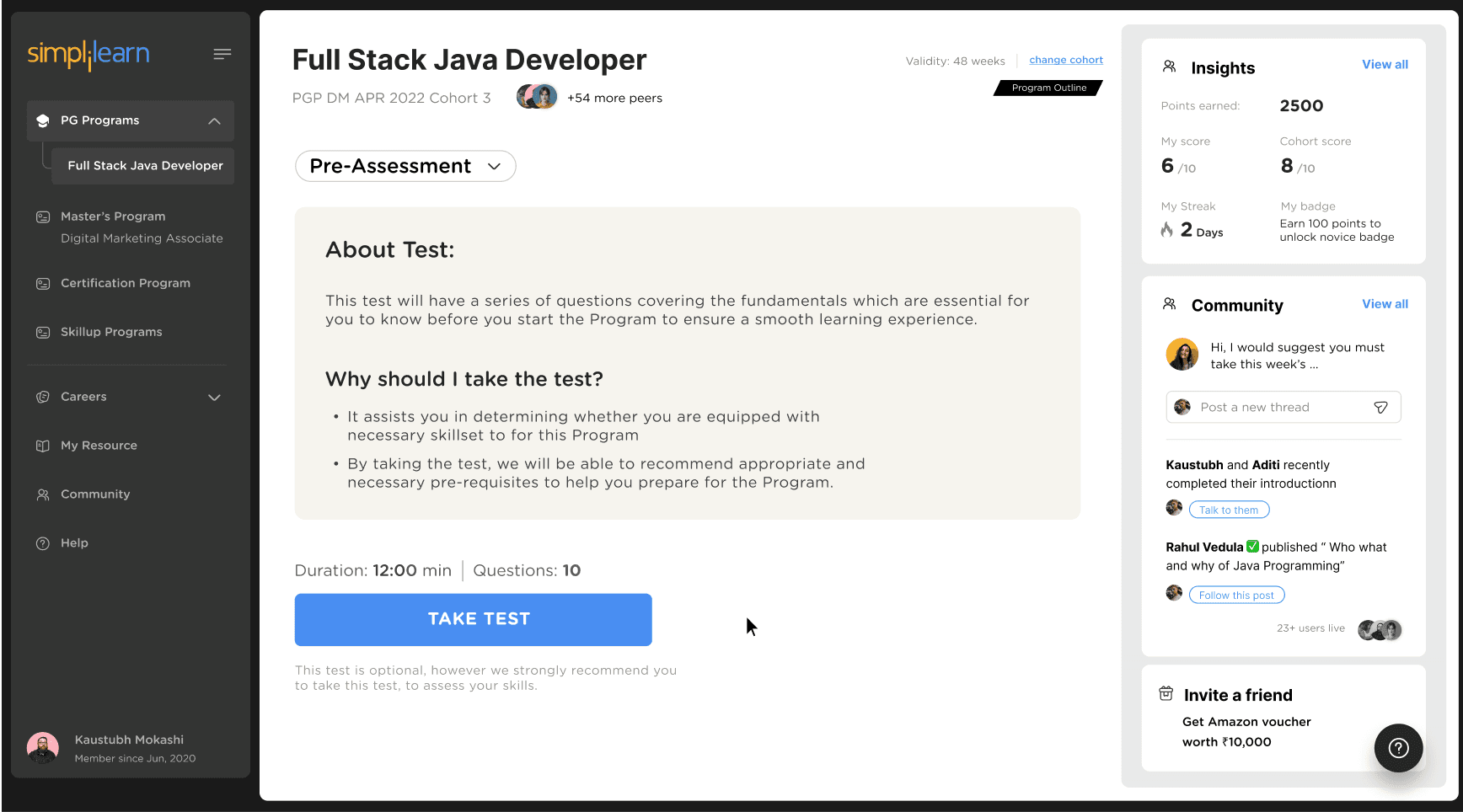
Pre-Assessment flow
This test will have a series of questions covering the fundamentals which are essential for you to know before you start the Program to ensure a smooth learning experience.
Reflection
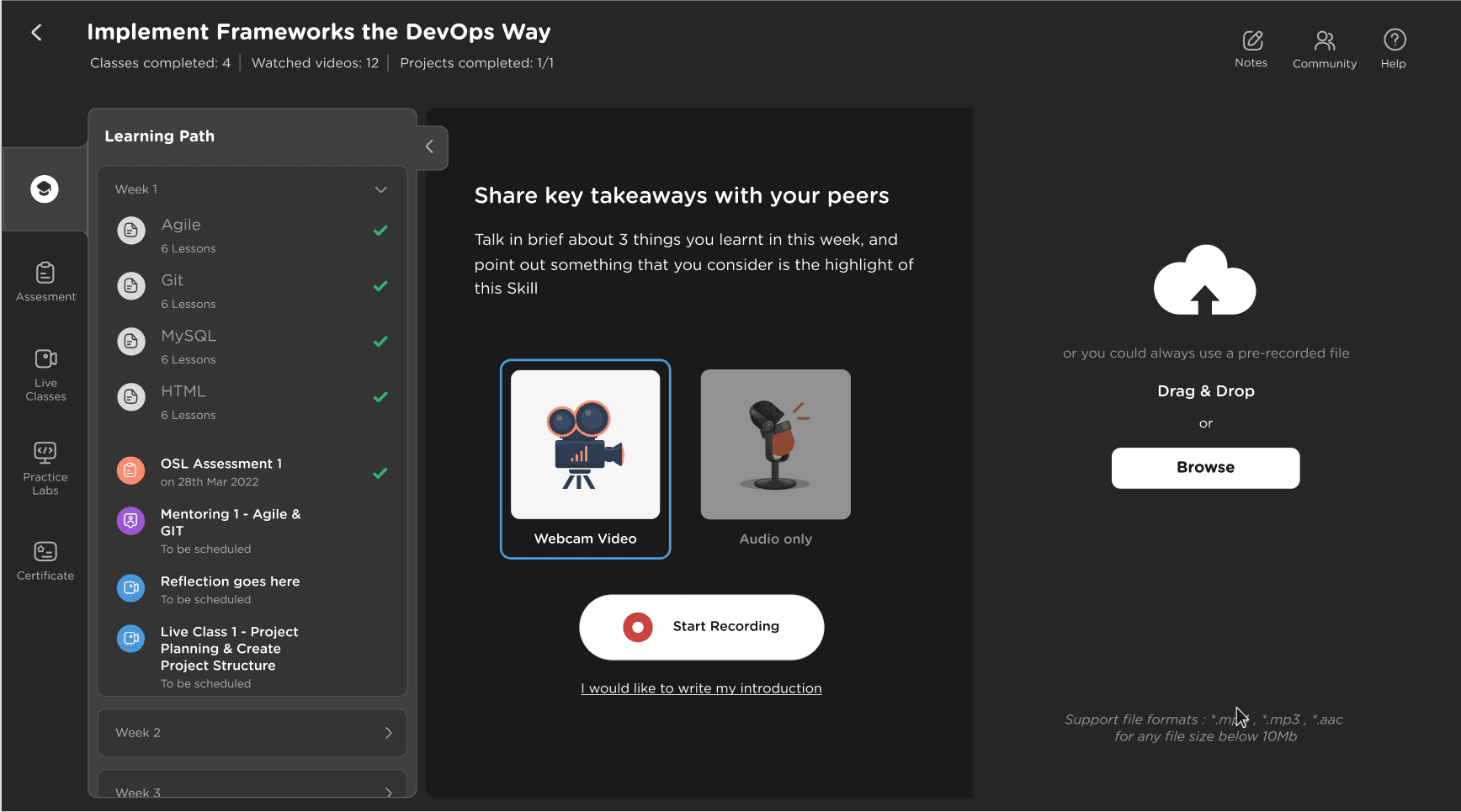
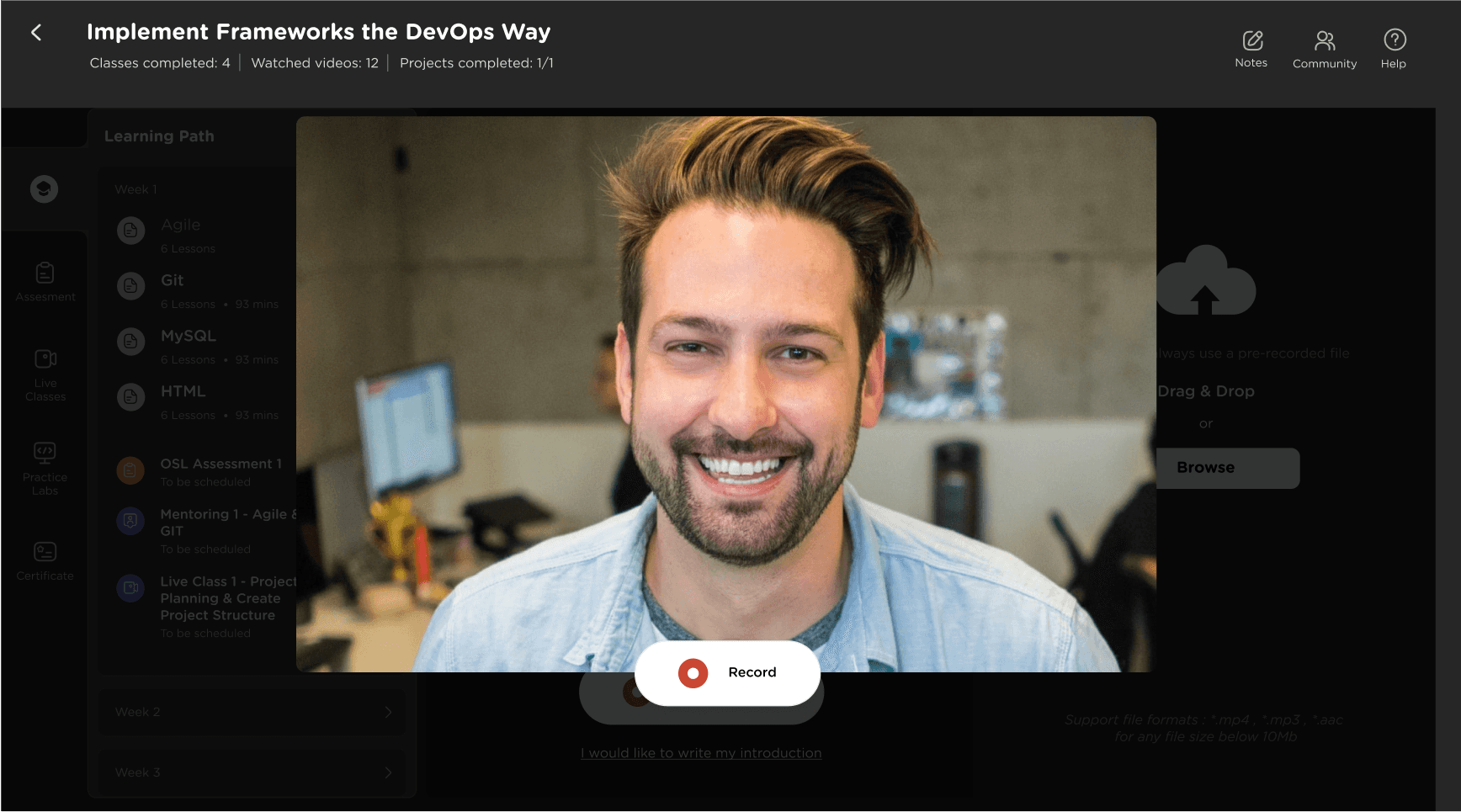
When a Learner has completed a particular Skill, they have the option to tell the community the 3 key points they learnt in this Skill and have a discussion about it.
Such interactions will be responsible for creating more peer to peer collaborations





⤊